Every rise.On the record.

POTS is a heart-rate companion for iPhone and Apple Watch, made for people living with postural tachycardia. It knows your resting baseline from the first second, shows how far your heart rate climbs when you stand, and keeps a record your doctor can read in minutes.

Free to download. Premium from $2.99 a month, with a 7-day free trial for eligible new subscribers.

  • No account needed
  • Apple Watch or a chest strap
  • In 56 languages
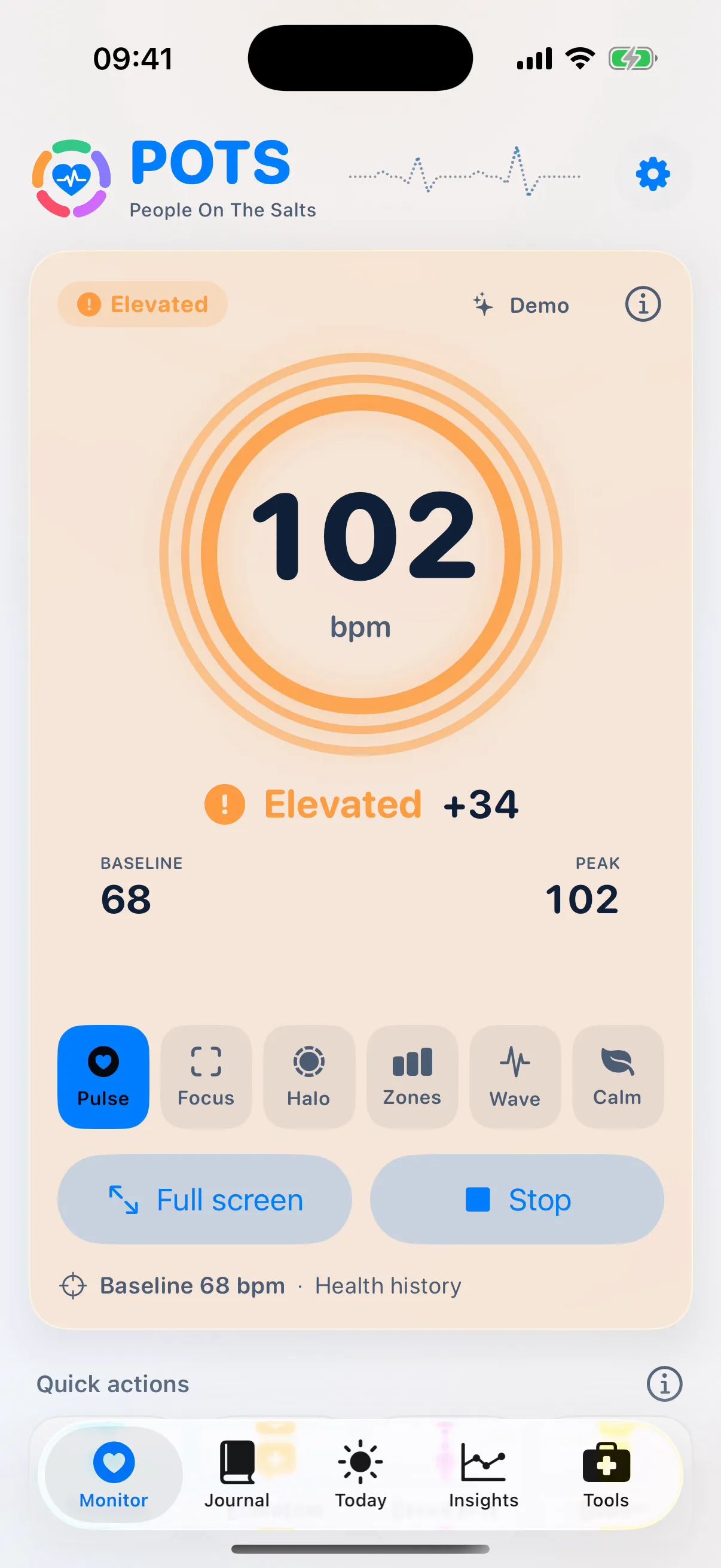
POTS on iPhone during a Demo session: 102 bpm, Elevated, +34 above a 68 bpm baseline.
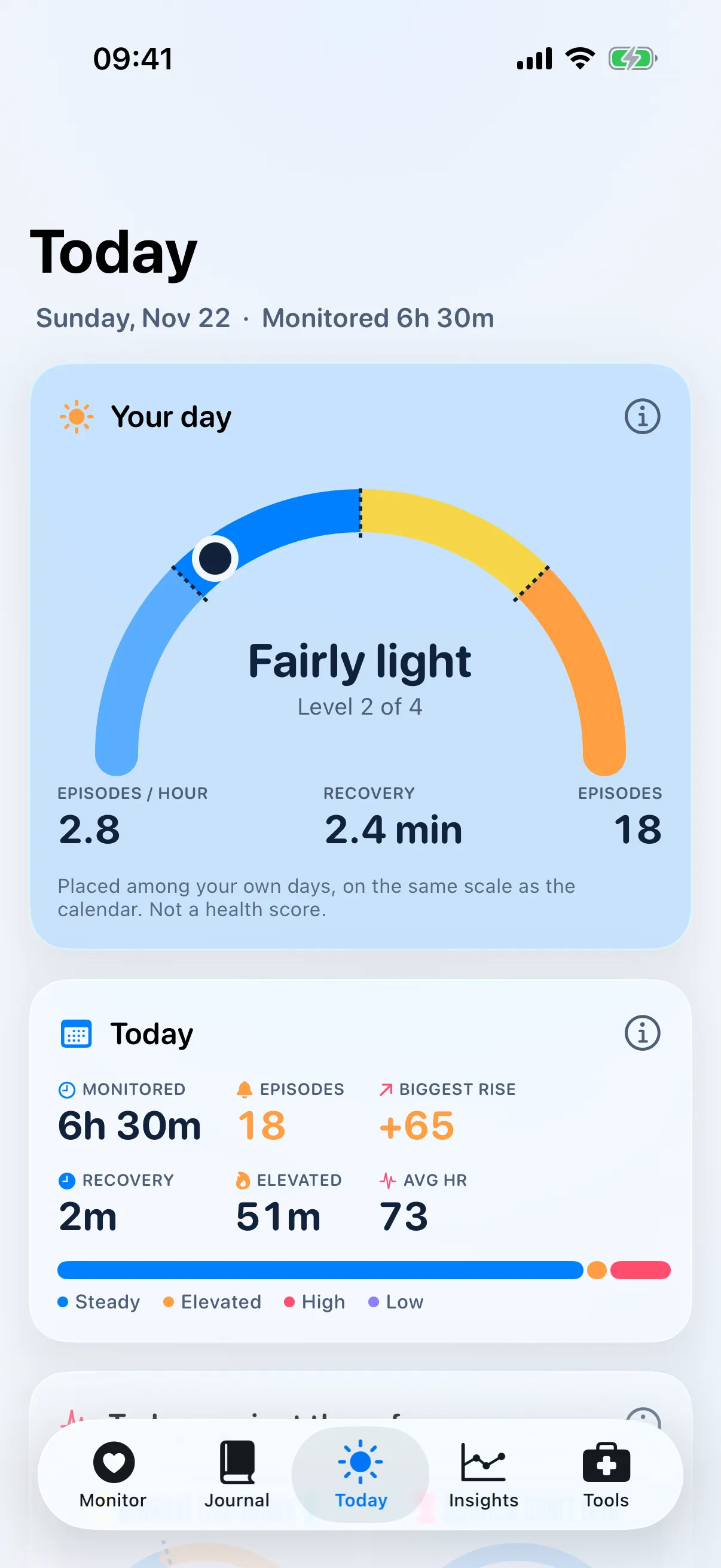
The Today tab showing “Your day” on a personal scale, with episodes per hour and recovery.
Apple Watch app
Illustration with fictional numbers: 72 bpm baseline, 102 bpm after standing.

The number that matters is the change.

A heart rate of 102 means little on its own. POTS compares every reading with your own resting heart rate, so you see how hard your body is working the moment you stand.

  1. Baseline

    Your usual resting heart rate. POTS reads it from Apple Health history, so it is ready the moment you start. No warm-up.

  2. Change

    “+30” means 30 beats per minute above your baseline. This is the number to watch when you get up.

  3. Episode

    A stretch of time your heart rate stays beyond a limit. The baseline holds still during an episode, so a long rise never becomes your new “normal”.

  4. Recovery

    How long it takes to come back down after a peak. Watching it over weeks shows what helps.

How POTS measures

A day with POTS

POTS follows the shape of a real day: the slow morning, the queue that lasts too long, the afternoon dip and the night before your appointment.

07:10

A stand test before breakfast

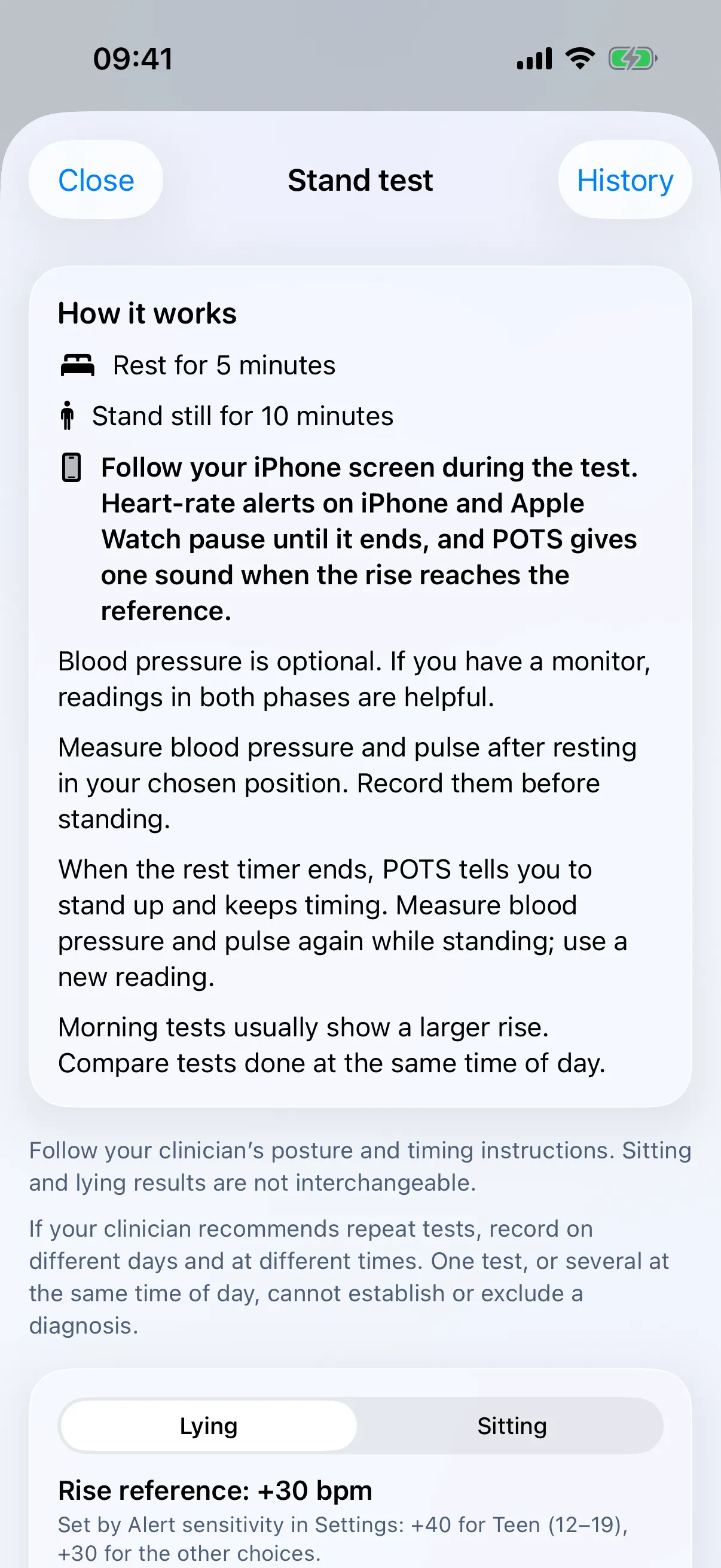
The guided stand test walks you from resting to standing and records your heart rate at every minute. Add blood pressure if you have a cuff, tap symptoms as they happen and get a clear result at the end.

  • Rest, then stand, with simple steps on screen and one sound when the rise reaches the reference
  • Largest sustained rise compared with the +30 reference (+40 for ages 12–19)
  • Every test kept, with a trend across days
See Guided stand test
Stand test instructions on iPhone: rest for 5 minutes, then stand still for 10 minutes.

09:42

The queue that goes on too long

Standing in line, your heart rate starts to climb. Your Apple Watch shows it at a glance, the colour turns from blue to yellow to orange, and a gentle buzz tells you before you feel it.

  • Live heart rate and change from baseline, every few seconds
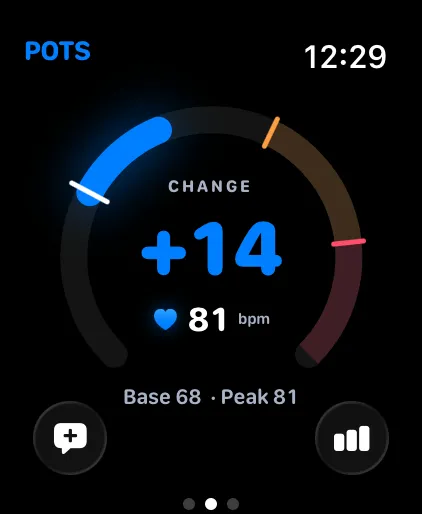
  • Six ways to see it: Pulse, Focus, Halo, Zones, Wave and Calm
  • Heads-up and alert limits you choose, with sound and haptics
See Live heart-rate monitor

10:05

One tap when it happens

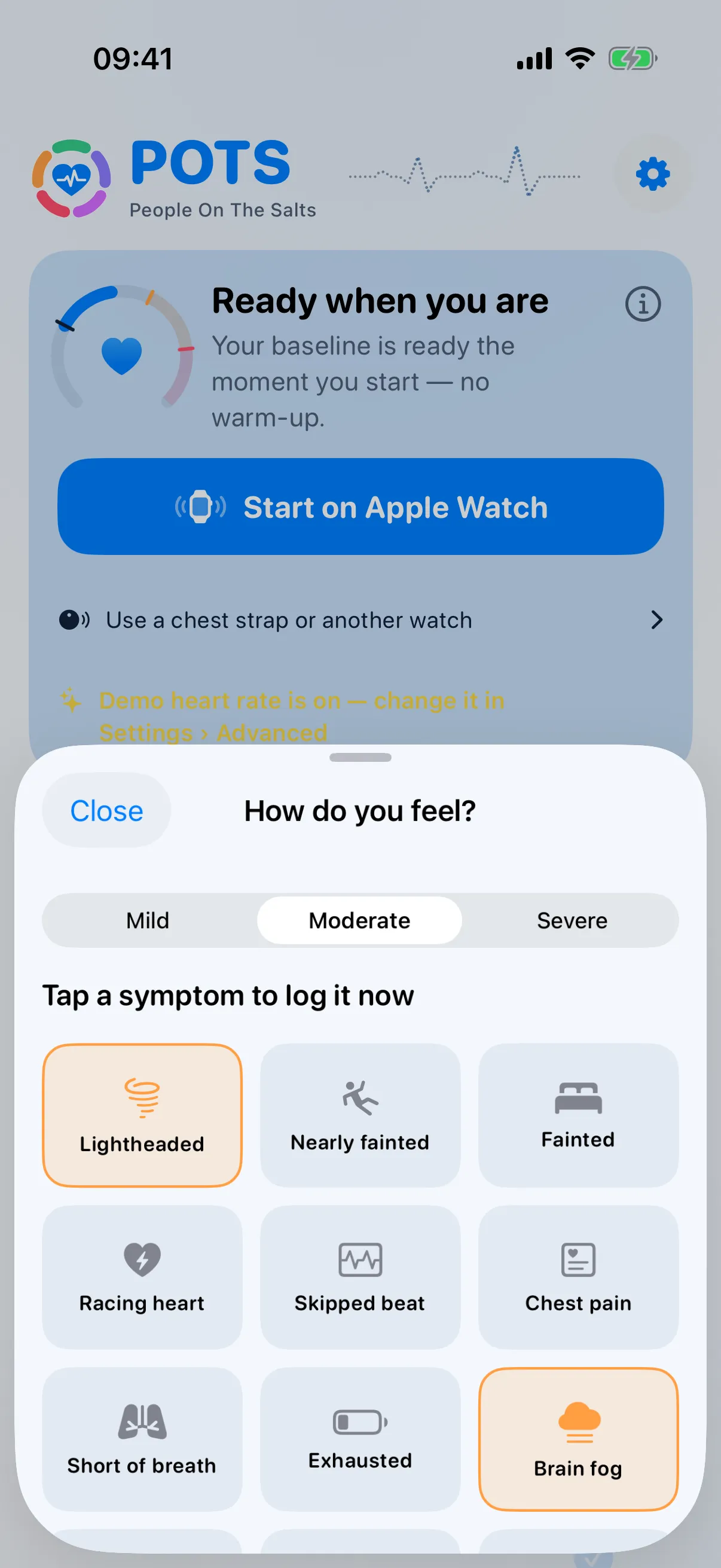
Lightheaded? Brain fog? Tap it once and POTS saves the symptom with the time and your heart rate. Months later, you and your doctor can see what your body was doing when you felt it.

  • Mild, moderate or severe, then one tap
  • From iPhone or straight from your wrist
  • Saved to Apple Health when you allow it
See Symptom log and symptoms card
The “How do you feel?” sheet with symptoms such as lightheaded, racing heart and brain fog.

12:30

Water, salt, compression

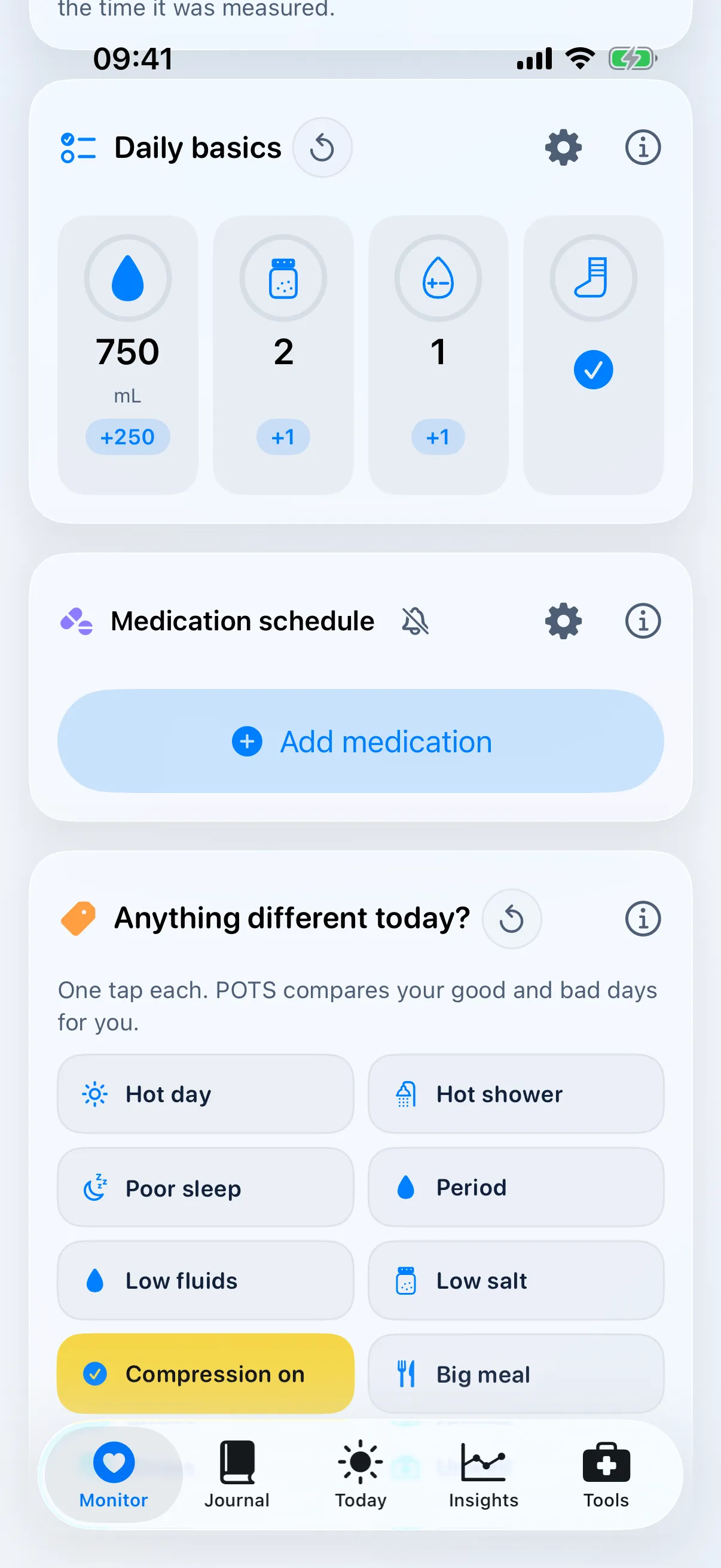
People On The Salts is a name the community will recognise. Daily basics keeps count of the fluids, salt and electrolytes your clinician recommended, ticks off compression and reminds you about medication.

  • One tap per glass or serving, with your own goals
  • Medication schedule with reminders
  • Mark a treatment change and compare before and after
See Daily basics and medication
Daily basics on iPhone with counters for water, salt, electrolytes and compression.

15:20

Settle with your breath

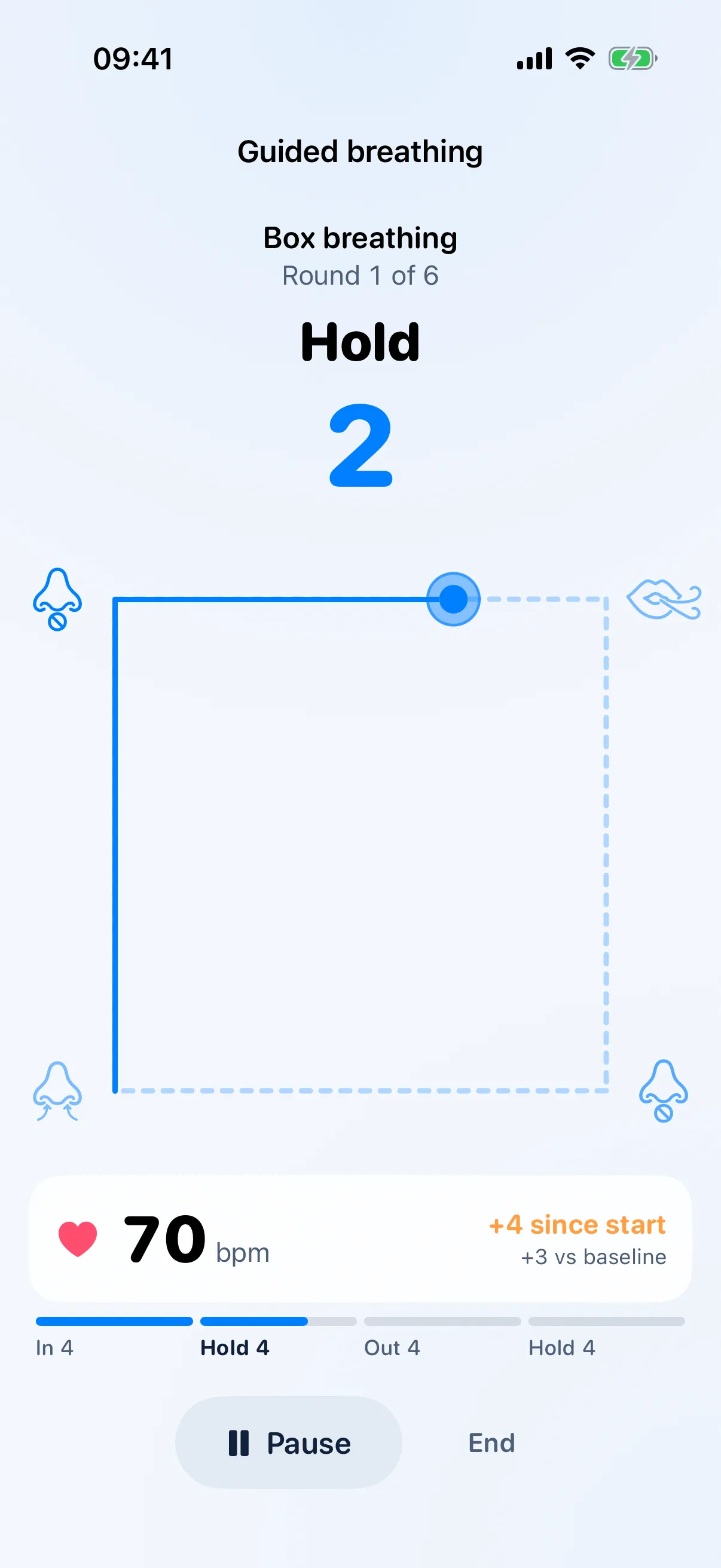
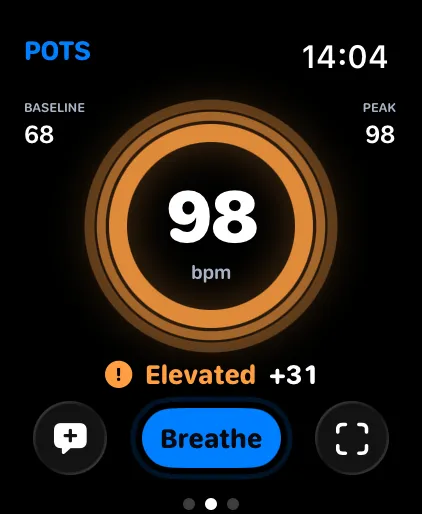
When your heart rate is well above baseline, a Breathe button glows on your Apple Watch. Follow a 4-7-8, box or gentle pattern and watch your heart rate as you go. POTS remembers which pattern settles you most.

  • Three guides: Wave Flow, Shape and Balloon
  • Adjustable seconds and rounds
  • Heart-rate change kept for every session
See Guided breathing
Guided box breathing on iPhone with the live heart rate below the breathing shape.

19:00

Your day, in context

Today places your day among your own other days, from lighter to heavier. Tap any rise to see what was going on around it: sleep, steps, fluids, salt, long standing and more.

  • Episodes per hour, recovery and time elevated
  • Every reading of the day on one 24-hour chart
  • Context from Apple Health around each rise
See Today and Insights
The Today tab showing “Your day” on a personal scale, with episodes per hour and recovery.

22:30

The night before

Sleep shapes the next day. With an Apple Watch worn overnight, POTS compares last night’s sleep, sleeping heart rate, heart rate variability, breathing rate and wrist temperature with your usual range.

  • Below, within or above your usual range at a glance
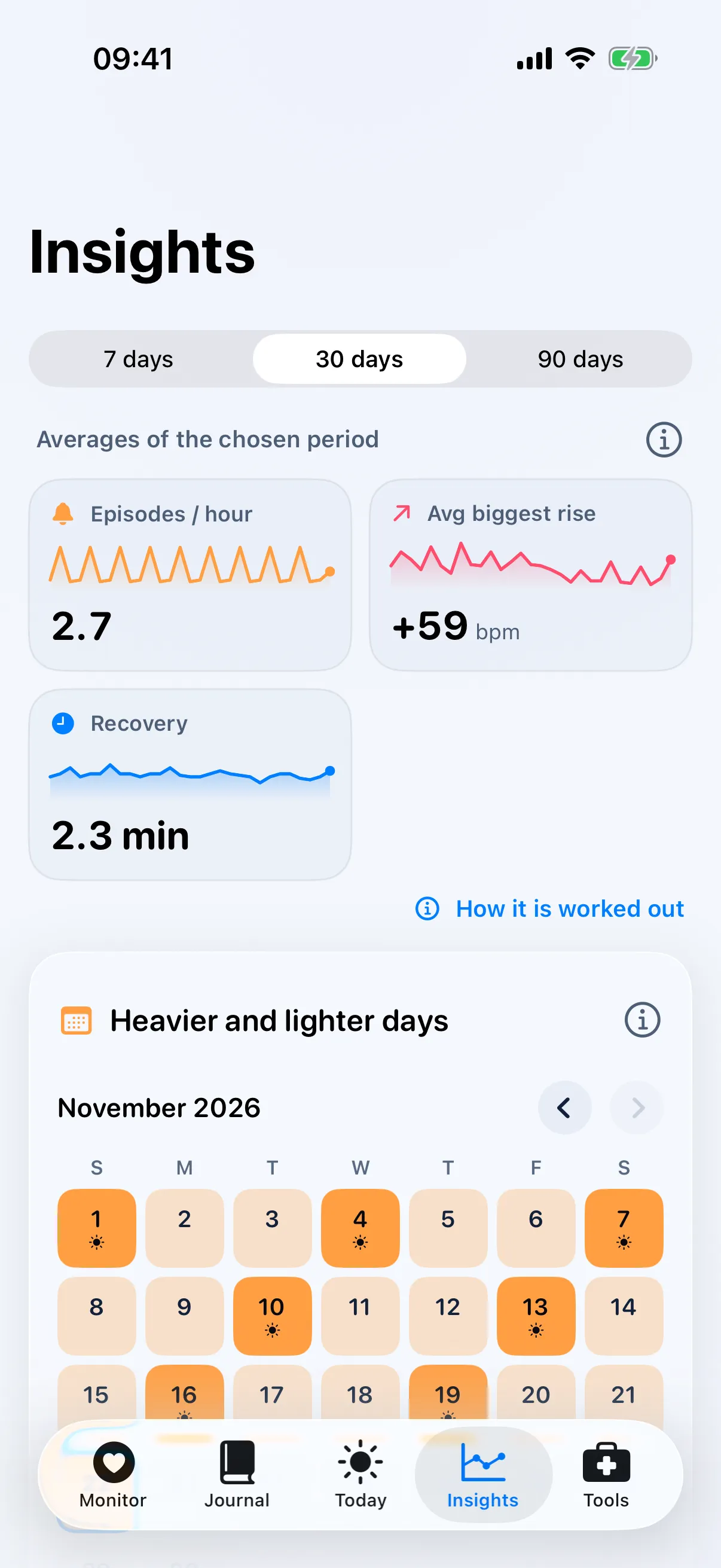
  • Patterns across 7, 30 or 90 days in Insights
  • Heavier and lighter days on one calendar
See Today and Insights
Insights on iPhone: episodes per hour, average biggest rise and recovery over 30 days.

Visit day

Walk in with the whole story

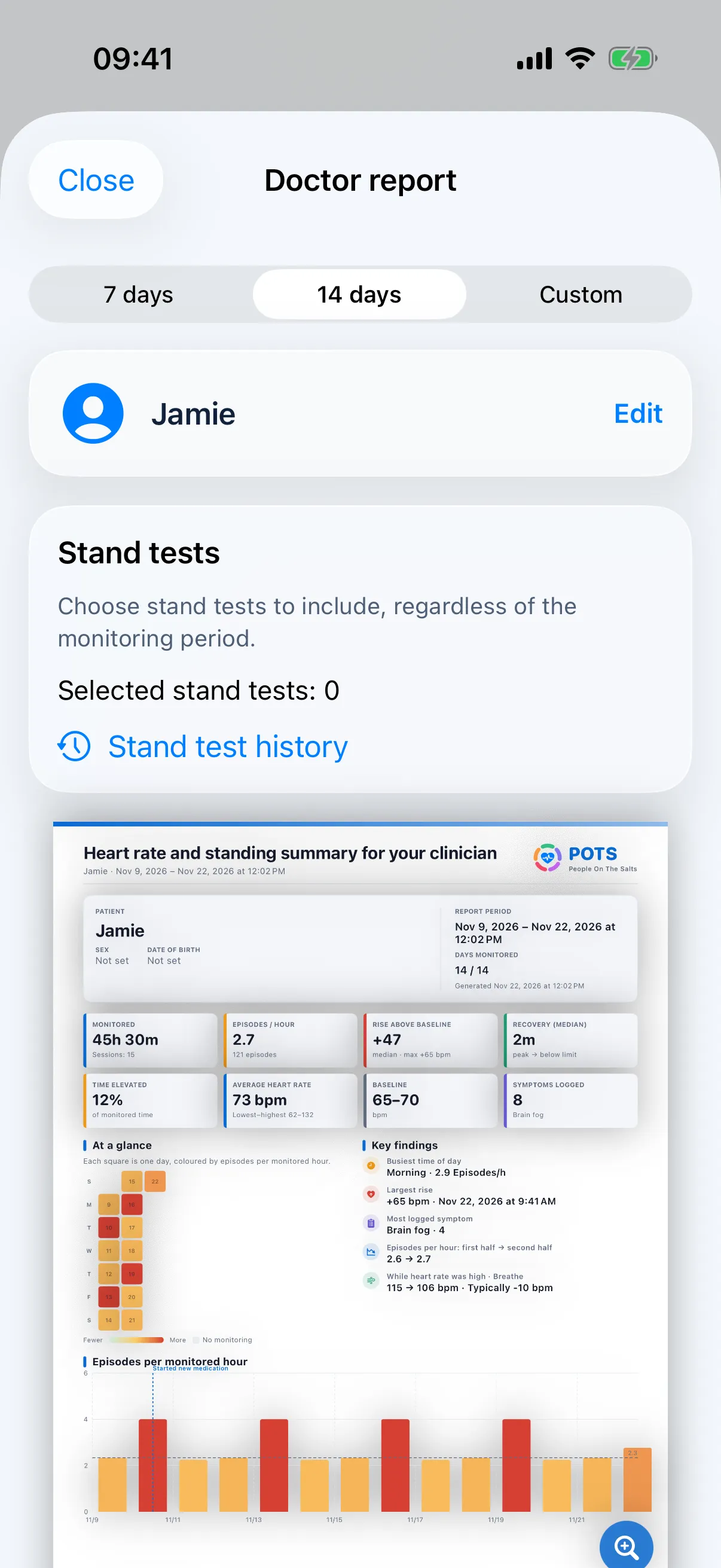
Choose the dates, pick the stand tests to include and share a clear PDF. The first page sums it up for a busy appointment; the pages behind it hold the detail.

  • 16 pages plus one page per stand test
  • Heart rate, episodes, symptoms, sleep and treatment changes
  • PDF, CSV, JSON and ZIP exports, shared only when you choose
See Doctor report and export
The doctor report preview in POTS with the visit summary page.

Your wrist knows first.

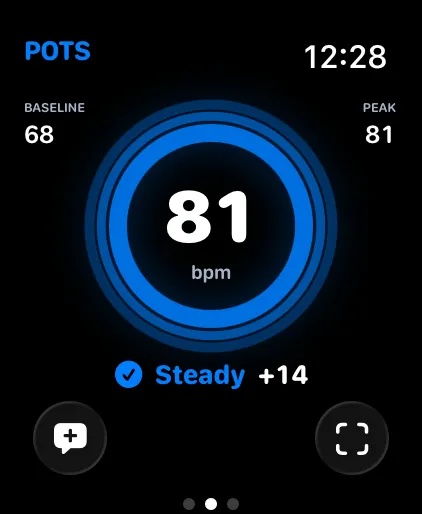
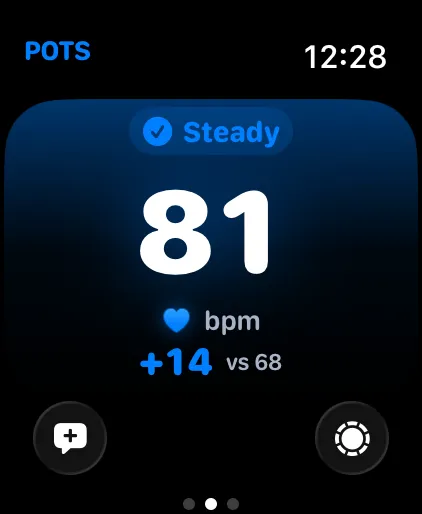
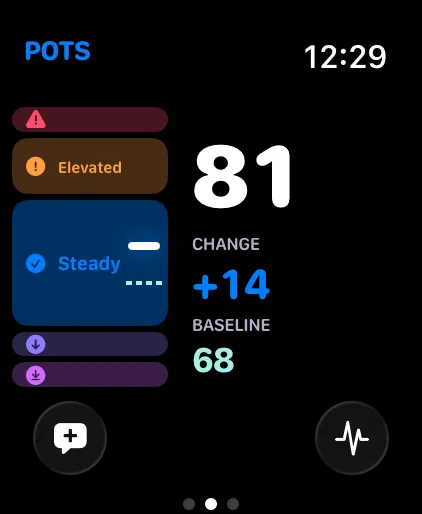
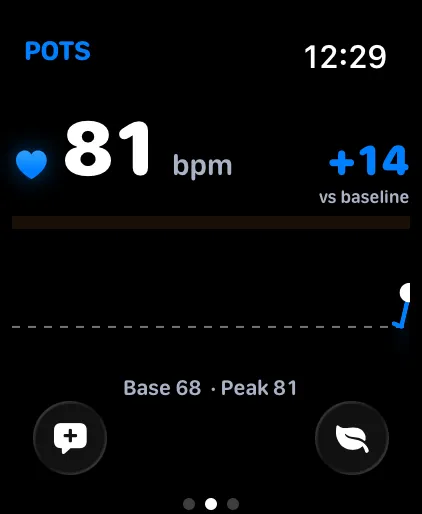
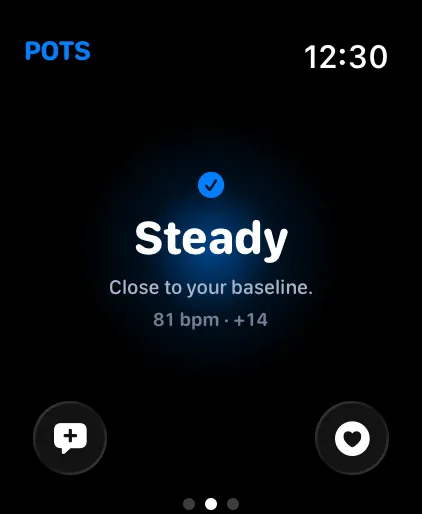
The Apple Watch app measures, shows and alerts on its own, even with your iPhone in a bag. Sessions sync to your iPhone afterwards. Every state has a colour, a symbol and a word, so you never have to decode a number in a hurry.

Pulse: A ring that beats with you. The default view.

Six states, one glance

  1. Very lowBelow the low alert limit
  2. LowBelow a low heads-up limit
  3. SteadyNear your baseline
  4. RisingClimbing above your baseline
  5. ElevatedReached a heads-up limit
  6. HighReached an alert limit

More about Apple Watch

For you, and the people around you

For you

Understand your own patterns, test what helps, and keep a record that does not depend on remembering.

How it works

For family and caregivers

Add up to two caregivers. During a high or low episode POTS offers a one-tap message with your heart rate. You decide whether to send it.

Caregivers

For your clinician

A structured report with heart rate, episodes, stand tests, symptoms and treatment changes, plus CSV for anyone who wants the raw numbers.

Doctor report

Your heart stays yours.

There is no sign-up and no password. Your heart rate, symptoms and journal live on your iPhone and Apple Watch, and leave only when you decide to share them.

How POTS handles your data
No account
Open the app and start. Nothing to register, nothing to remember.
On your devices
Core health records stay on your iPhone and paired Apple Watch, or in Apple Health when you allow it.
Shared when you choose
Reports and exports leave your phone only when you tap Share.
Delete everything
One action removes POTS records from your iPhone and Apple Watch.

Speaks your language. All 56 of them.

Pick your language when you first open POTS, or change it any time in Settings. The Apple Watch app follows. The symptoms card is shared in the language you use, so the people around you can read it.

  • English
  • Deutsch
  • Français
  • Español
  • Español (España)
  • Español (México)
  • Italiano
  • Português (Portugal)
  • Português (Brasil)
  • Nederlands
  • Dansk
  • Svenska
  • Norsk bokmål
  • Suomi
  • Íslenska
  • Eesti
  • Latviešu
  • Lietuvių
  • Polski
  • Čeština
  • Slovenčina
  • Magyar
  • Română
  • Български
  • Ελληνικά
  • Hrvatski
  • Slovenščina
  • Српски
  • Bosanski
  • Македонски
  • Shqip
  • Українська
  • Беларуская
  • Русский
  • Gaeilge
  • Malti
  • Lëtzebuergesch
  • Català
  • Türkçe
  • ไทย
  • 简体中文(普通话)
  • 繁體中文(台灣華語)
  • 繁體中文(香港)
  • 繁體中文(澳門)
  • 简体中文(新加坡)
  • 廣東話
  • 日本語
  • 한국어
  • Bahasa Melayu
  • Bahasa Indonesia
  • Filipino
  • ລາວ
  • မြန်မာ
  • Tiếng Việt
  • हिन्दी
  • العربية

Start free. Go further with Premium.

The essentials are free. Premium removes the limits and turns your own data into insights and a report for your doctor.

Free

$0.00

Forever

  • Live heart rate: 15 minutes in every two-hour window
  • One real stand test per day
  • Symptom log and guided breathing
  • Journal for today
  • Previews of insights and a sample doctor report

Premium

7-day free trial

$2.99 a month

or $19.99 a year

  • Unlimited heart-rate monitoring
  • Unlimited stand tests
  • Journal history for every day
  • Insights from your own data
  • Doctor report with your real data, PDF and CSV export
Download on the App Store

U.S. reference prices. The App Store shows the price and currency for your region before you buy. Compare plans

Common questions

All questions

Is POTS a medical device?

No. POTS is for personal tracking and general information. It does not diagnose, prevent or treat any condition and is not an emergency service.

Do I need an Apple Watch?

Live heart rate needs an Apple Watch or a compatible Bluetooth heart-rate sensor. Some features also need Apple Health permission or enough recorded data.

What does +30 mean?

Your heart rate is 30 beats per minute above your baseline, your usual resting heart rate.

Do I need an account?

No. There is no sign-up. Your core health records stay on your iPhone and Apple Watch.

Can I share my data with my doctor?

Yes. With Premium you can export a doctor report as a PDF, and your data as CSV, JSON or ZIP, and share it however you choose.

How much is Premium?

US$2.99 a month or US$19.99 a year (U.S. prices; the App Store shows your local price). Eligible new subscribers can try it free for seven days.

Bring the whole story to your next appointment.

Download POTS for iPhone and Apple Watch.

Download on the App Store

Screens show fictional example data.