How POTS works
POTS does a simple sum every few seconds, then shows it in a way you can read at a glance.
The sum behind every reading
A baseline you can trust
Many heart-rate apps need several minutes of readings before they know what “normal” is. POTS starts from your recent resting heart rate in Apple Health, so the change is meaningful from the first second.
During a session the baseline keeps learning from quiet moments, rises only slowly and holds completely still during an episode. That way a long stretch of standing never quietly becomes your new normal.
You can review where the baseline came from on the Monitor screen, or set it yourself.
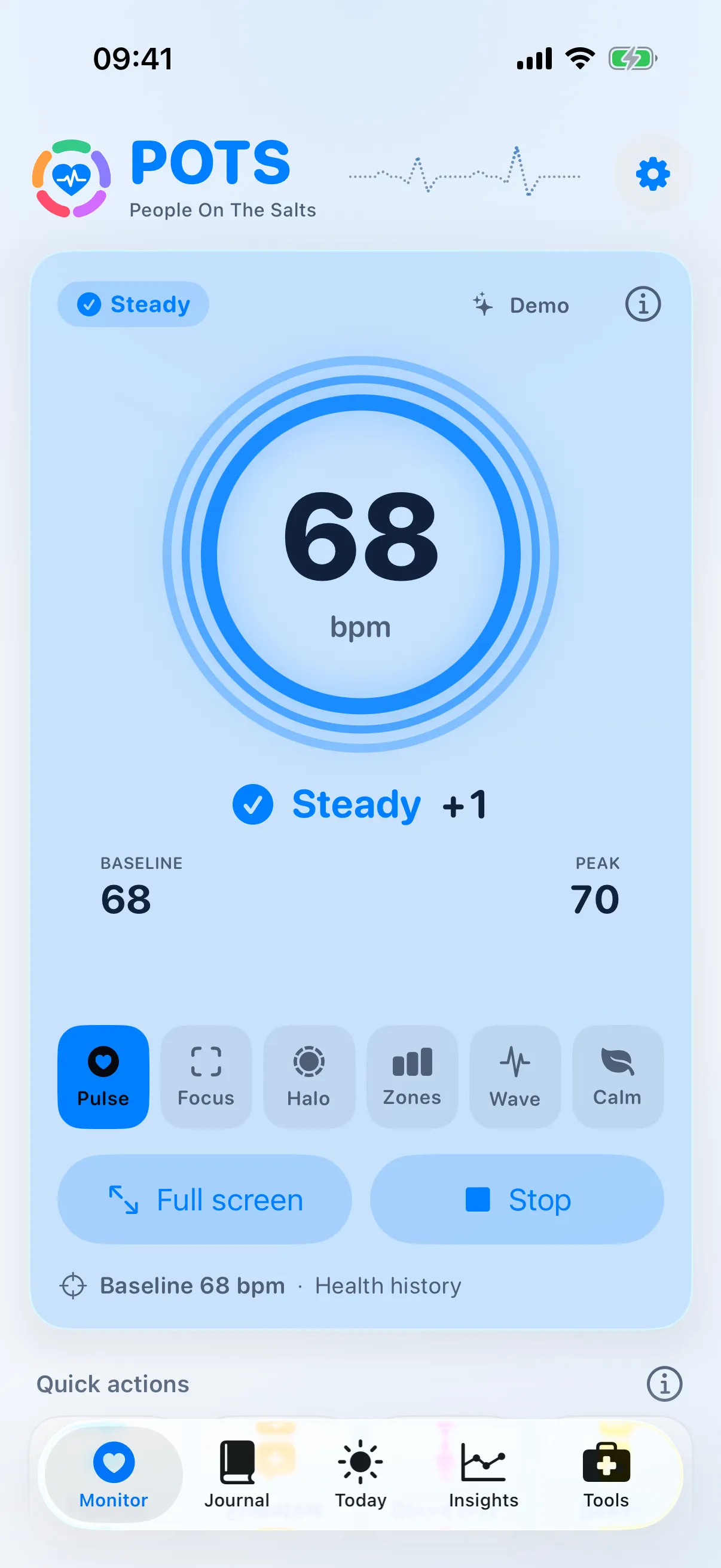
The colour tells you where you are
Every reading gets a colour, a symbol and a word, on iPhone and Apple Watch. From lowest to highest:
- Very lowBelow the low alert limit
- LowBelow a low heads-up limit
- SteadyNear your baseline
- RisingClimbing above your baseline
- ElevatedReached a heads-up limit
- HighReached an alert limit
Default limits (Standard)
| Heads-up | Alert | |
|---|---|---|
| High heart rate | 120 bpm | 140 bpm |
| Rise from baseline | +30 bpm | +50 bpm |
| Low heart rate | 50 bpm | 45 bpm |
| Drop from baseline | −30 bpm | −50 bpm |
A limit has to be crossed for a few seconds (15 seconds with Standard), so one quick jump from moving your arm will not buzz you.
Alert sensitivity
- Standard
- Heads-up at +30 above baseline or 120 bpm, and for low heart rate. A good place to start.
- Gentle
- Fewer alerts: only longer, bigger episodes (heads-up at +45 or 135 bpm).
- Teen (12–19)
- Uses the +40 bpm rise used for ages 12–19 (heads-up at +40 or 130 bpm).
- Custom
- Set your own numbers in Alert limits. Ask your clinician which suit you.
What POTS does at each level
Rising
Your heart rate is climbing. On Apple Watch a Breathe button appears.
Elevated
A heads-up limit was reached. POTS can buzz and play a sound as an early signal.
High
An alert limit was reached. If you set up a caregiver, POTS offers a one-tap message.
Low and Very low
Heads-ups and alerts work the same way when your heart rate is low.
What you need
An iPhone
With iOS 17 or later. This is where you keep your journal and make reports.
Apple Watch or a chest strap
Apple Watch with watchOS 10 or later, or a Bluetooth heart-rate chest strap. A chest strap gives the most accurate readings and beat-to-beat data.
Apple Health access
When you allow it, POTS uses heart-rate readings already in Apple Health for your baseline, and context like sleep and steps.
Set up in a few minutes
Choose your language
One of 56, or keep your iPhone’s language.
Allow Apple Health
So POTS knows your baseline from the first second.
Allow notifications
So alerts and reminders reach you in the background.
Pick your screen
Pulse, Focus, Halo, Zones, Wave or Calm.
Choose how sensitive
Standard, Gentle, Teen (12–19) or Custom.
Open POTS on Apple Watch
Once, so the two can connect. Then start your first session.
No watch or strap yet? Turn on Demo (simulated) in Settings › Advanced to try POTS with a simulated heart rate. It is never saved to Apple Health.
Bring the whole story to your next appointment.
Free to download. Premium from $2.99 a month, with a 7-day free trial for eligible new subscribers.