A report your doctor can read in minutes
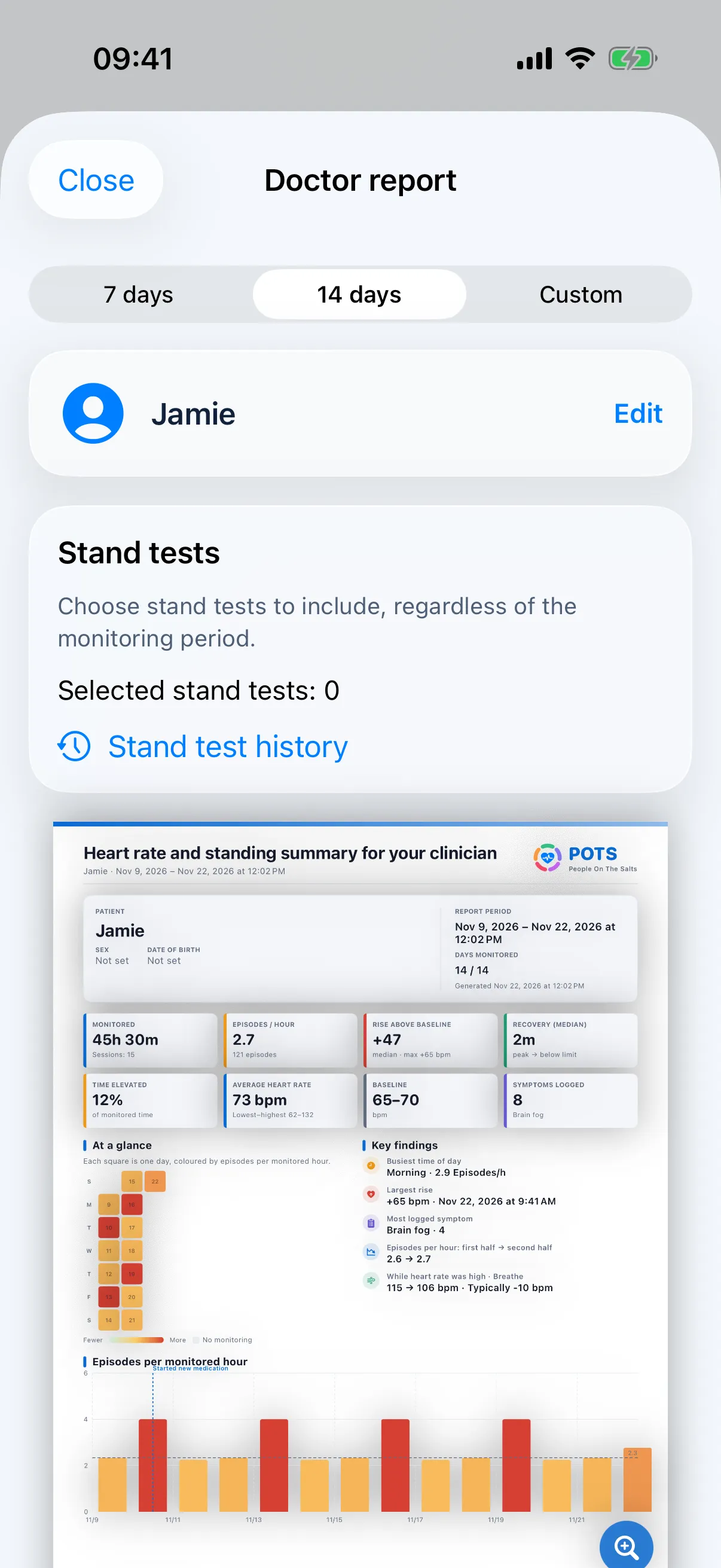
A clear report helps your doctor see what happens between appointments. Pick the dates and the stand tests, preview the pages and share the PDF however you like.

What it does
- A first page that sums it up
- Time monitored, episodes per hour, rise above baseline, recovery, time elevated, average heart rate and symptoms logged, with a calendar of the period.
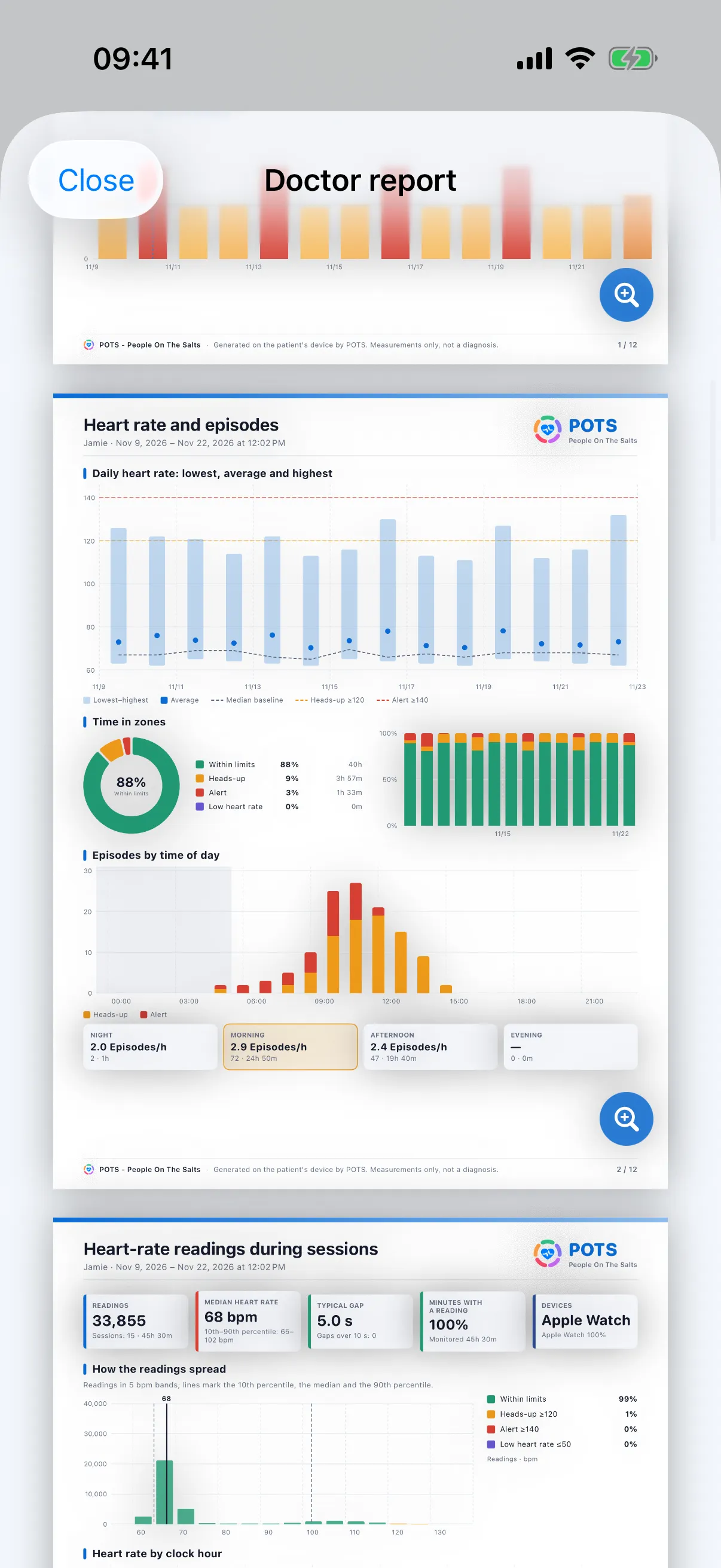
- 16 pages of detail
- Heart rate and episodes, session readings, beat-to-beat, episode details, day by day, comparing days, daily log, nights, context from Apple Health, symptoms, treatment, breathing, and methods and definitions.
- Stand test pages
- Each stand test you include gets its own one-page result.
- Your details, if you want them
- Add a name and date of birth so the report is clearly yours. Nothing is required.
- Export your data
- PDF, CSV for spreadsheets, JSON diagnostics and ZIP tables with a data dictionary.
- A research option
- Research exports leave out notes, rename medications and turn dates into day numbers.
How to use it
Open Tools › Doctor report
Or tap Report on the Monitor screen.
Choose the period
Pick the first and last day, then the stand tests to include.
Preview and share
Send it by email or Messages, save it to Files or print it.
Free and Premium. A report with your own data needs a paid Premium subscription and is available after your first payment, not during the free trial. Everyone can view a sample report. Pricing
Bring the whole story to your next appointment.
Free to download. Premium from $2.99 a month, with a 7-day free trial for eligible new subscribers.