See your heart rate change the moment it happens
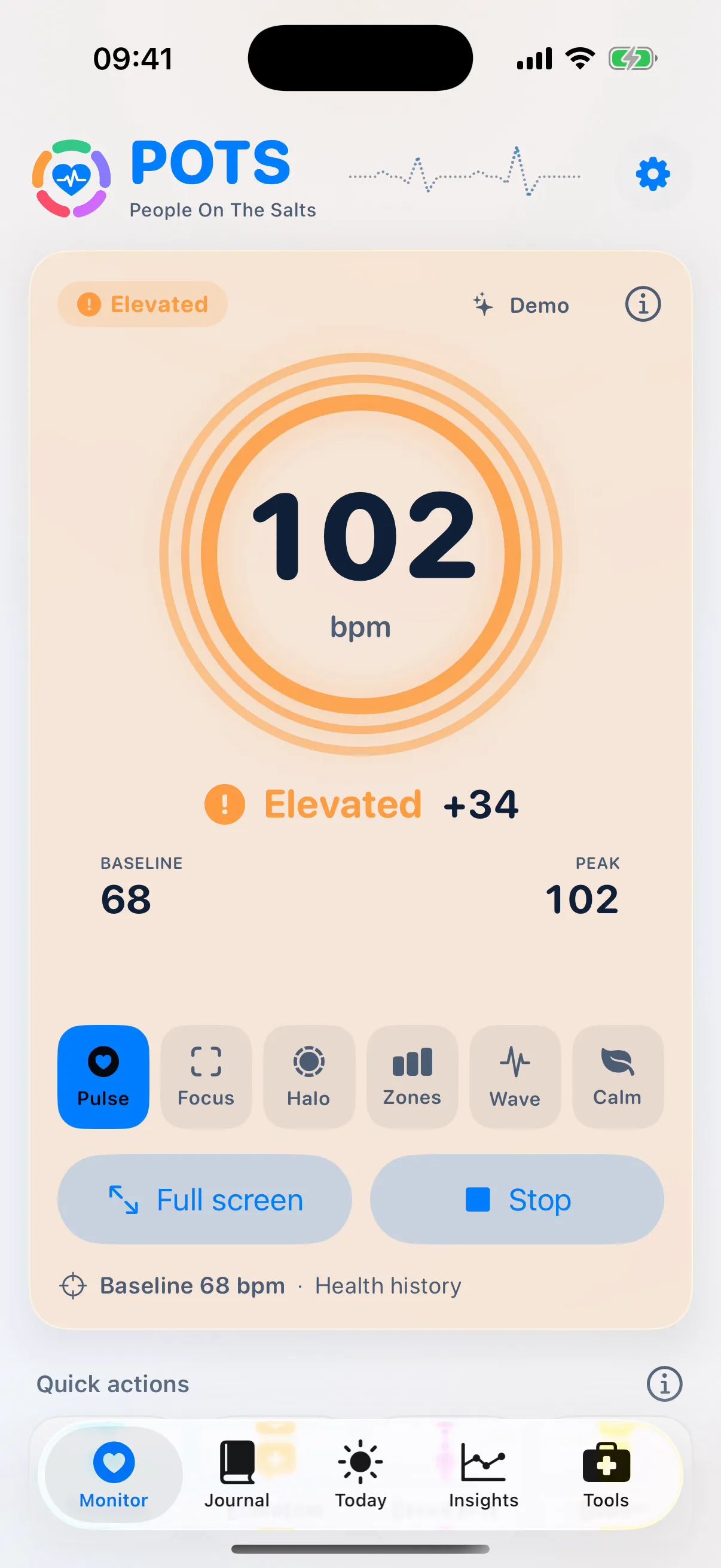
Start a session and POTS shows your heart rate, your resting baseline and the difference between them. The colour, symbol and word change with your state, so you know where you are at a glance.

What it does
- A baseline from the first second
- POTS reads your recent resting heart rate from Apple Health, so the change is meaningful straight away. No warm-up period.
- Change, not just a number
- See “+30” next to your heart rate: 30 bpm above your baseline. The baseline holds during an episode so a long rise never becomes normal.
- Six display styles
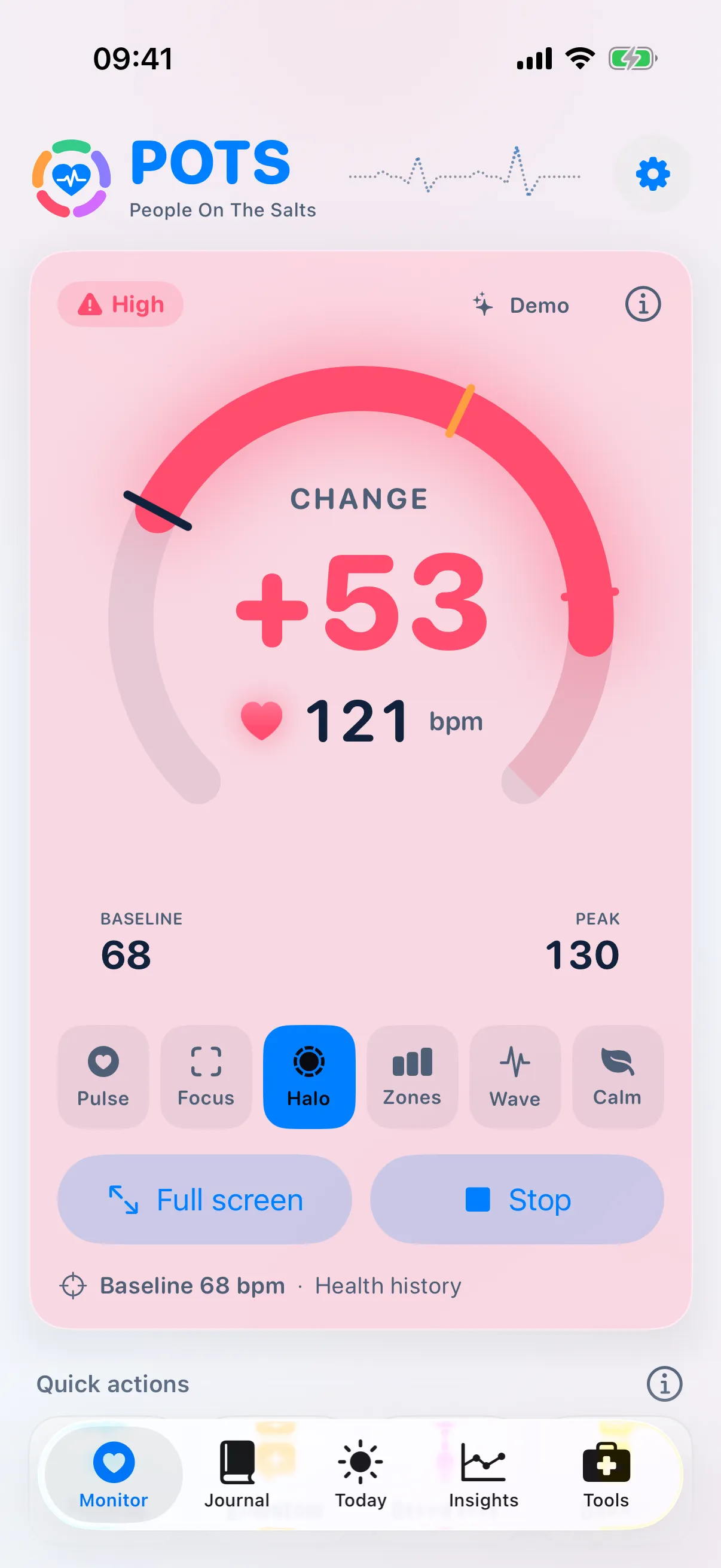
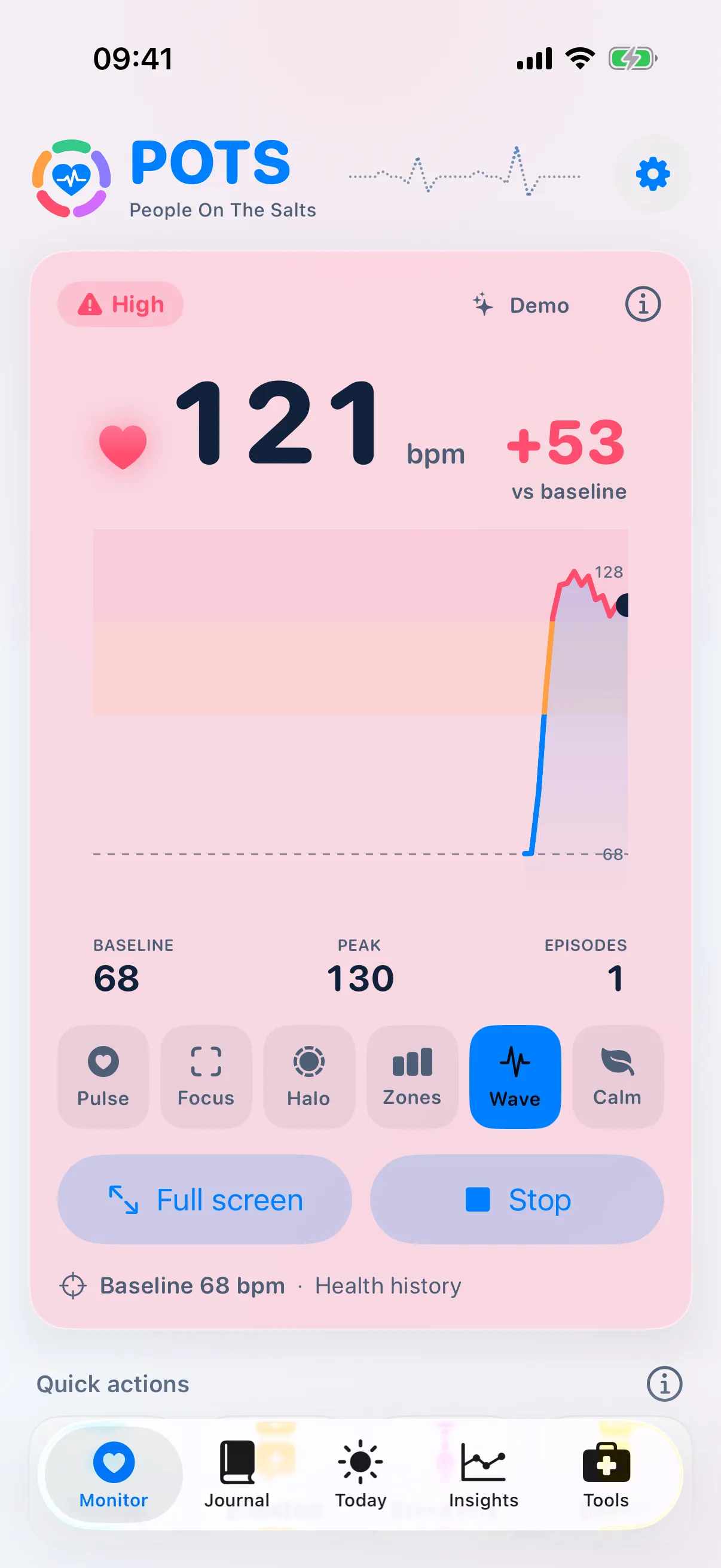
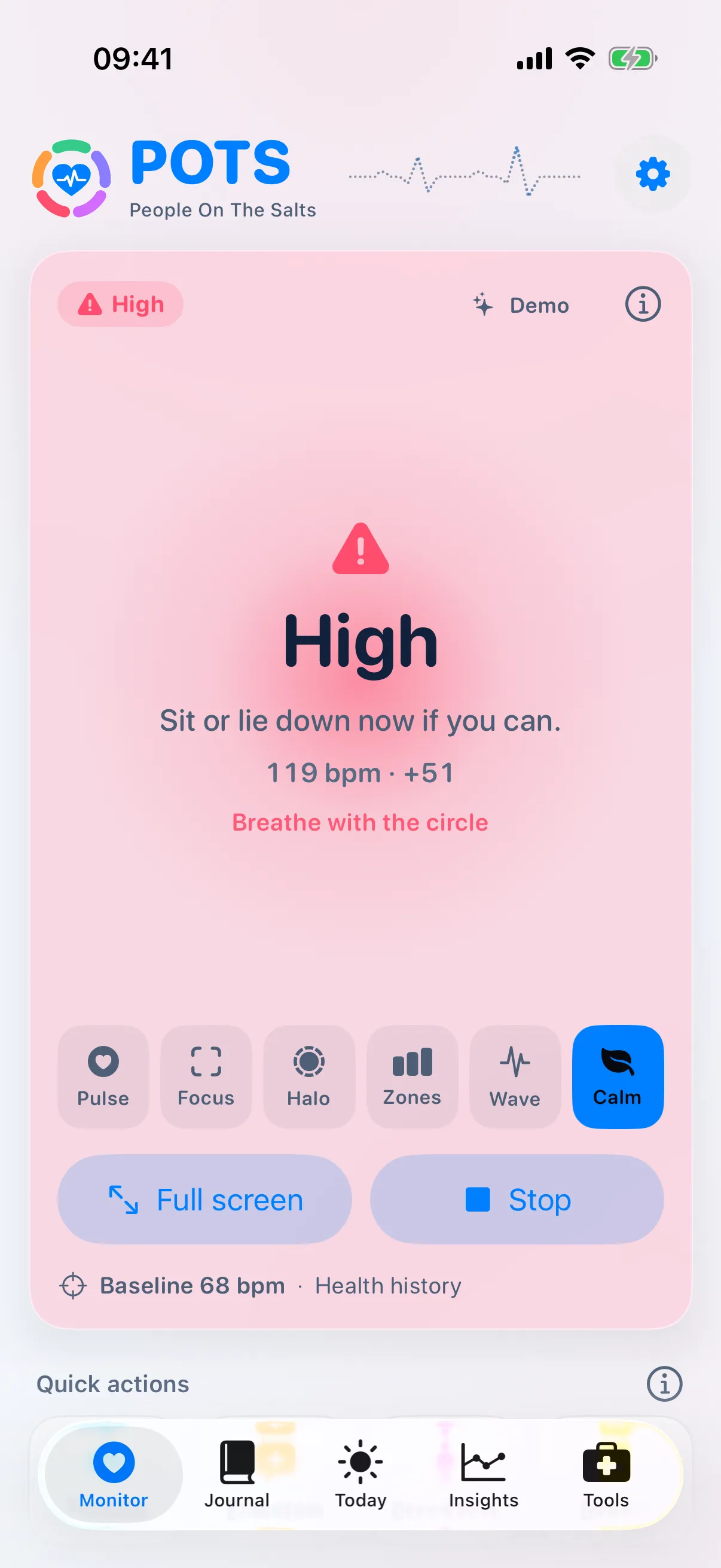
- Pulse, Focus, Halo, Zones, Wave and Calm. Switch with one tap; your choice also appears on Apple Watch.
- Peak and session summary
- Your highest heart rate so far, and a full session saved to your Journal when you stop.
- Full screen
- Fill the screen with your heart rate. Handy on a table or during a stand test.
- Honest about gaps
- If readings stop arriving, POTS says “Reconnecting” instead of guessing, and continues when they return.
How to use it
Open Monitor
Tap Start on Apple Watch, or connect a chest strap first.
Watch the change
Stand up, walk around, sit down again and see the change rise and settle.
Stop to save
Tap Stop. The session goes to your Journal with its chart and numbers.
Free and Premium. Free: 15 minutes of live monitoring in every two-hour window. Premium: unlimited. Pricing
Questions
Where does my baseline come from?
From your recent resting heart-rate readings in Apple Health, when you allow access. You can also set it yourself. The Monitor screen shows which source is in use.
Can I try it without a watch or strap?
Yes. Turn on Demo (simulated) in Settings › Advanced to see a realistic simulated heart rate. Demo sessions are labelled and never saved to Apple Health.
Bring the whole story to your next appointment.
Free to download. Premium from $2.99 a month, with a 7-day free trial for eligible new subscribers.